Start with the real roster.
Build a Monday-based week with surname-sorted driver rows, trailer lines, on-call contact detail and a notice for the week ahead.
Driver Rota Manager
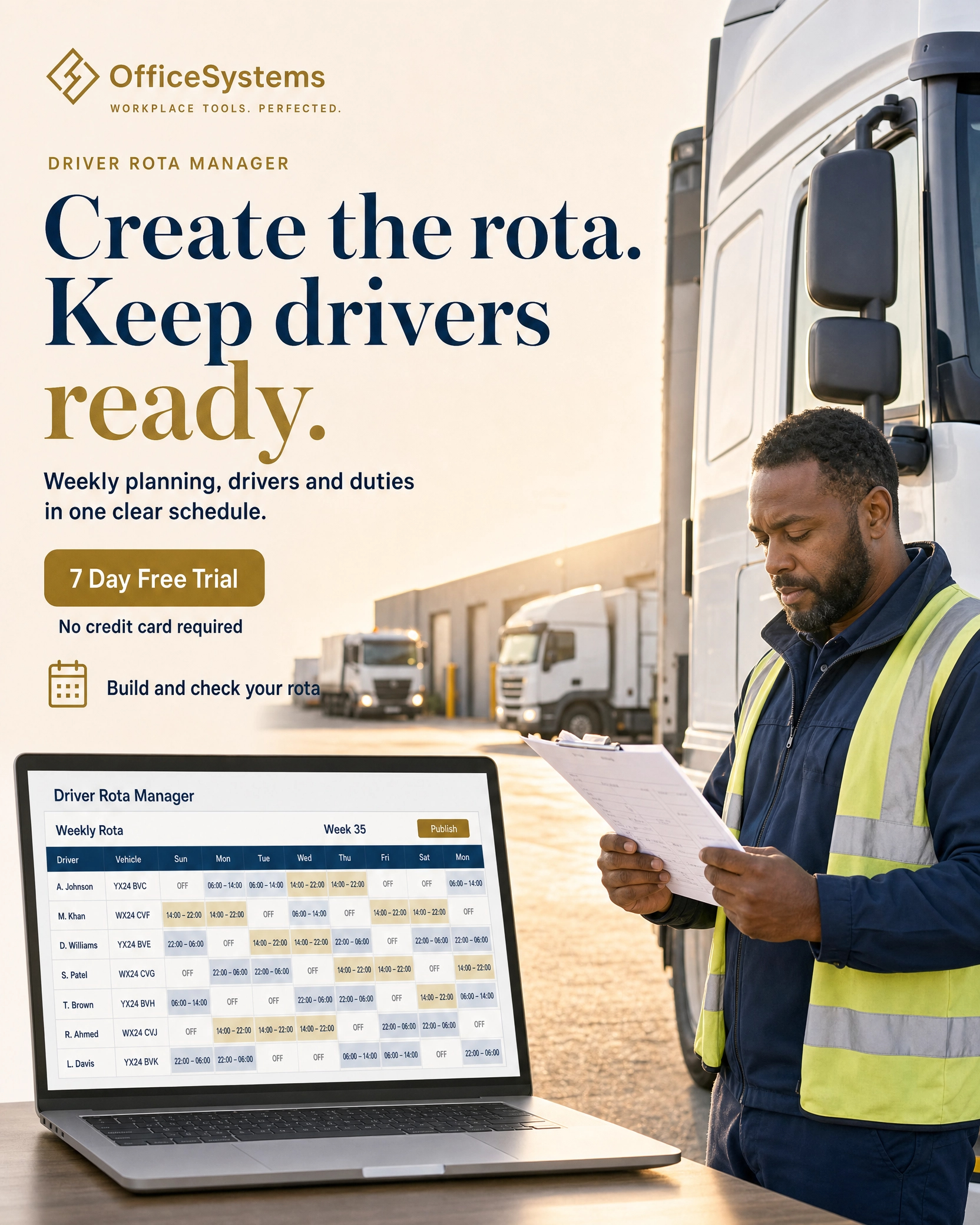
OfficeSystems Driver Rota Manager is custom-built driver scheduling software for transport teams. Replace fragile spreadsheets with custom weekly driver rotas, assign drivers, duties, vehicles, shift times and breaks, then validate conflicts before publishing the schedule.
No credit card required — full access for 7 days.
A working rhythm for transport teams
This customised software keeps driver rota management in one operational record across every day of the week, so each duty, vehicle, driver and published schedule traces back to the same custom build.
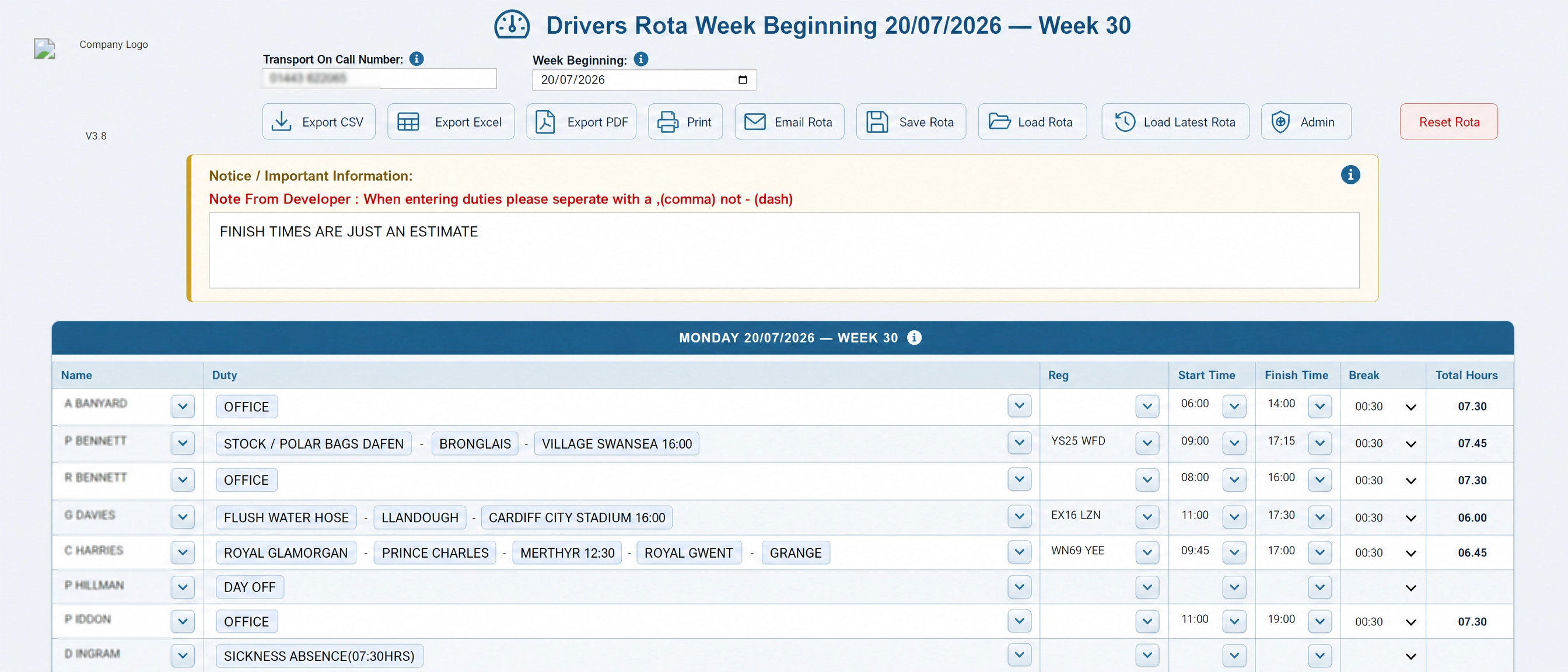
Build a Monday-based week with surname-sorted driver rows, trailer lines, on-call contact detail and a notice for the week ahead.
Use driver, duty and registration autocomplete to set each shift, then record start, finish, break and calculated hours in the same row.
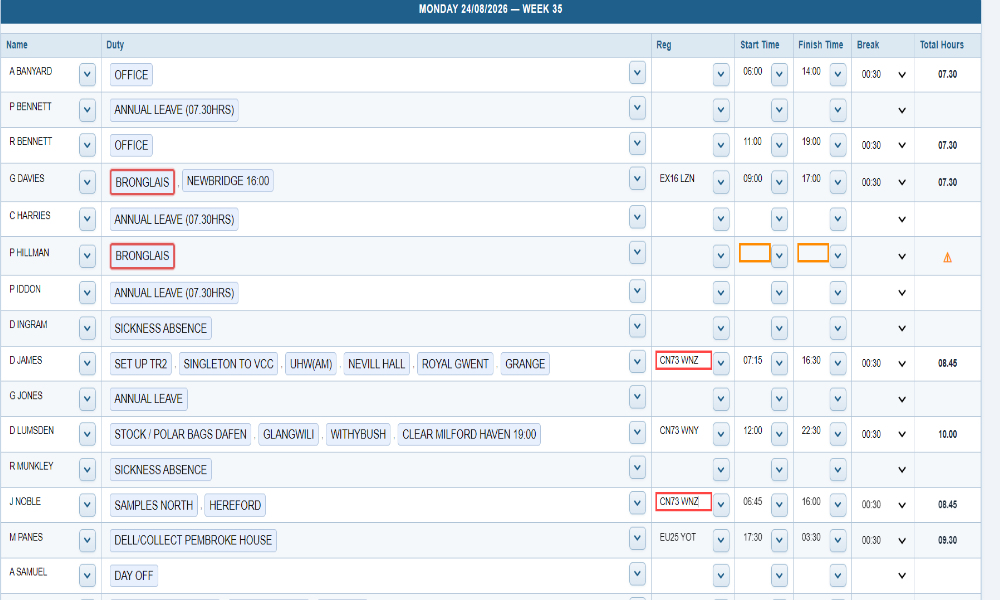
Flags make duplicate duties, duplicate vehicle allocations, missing time and unexpected duty start patterns visible while the rota is still editable.
Create CSV, Excel or print/PDF outputs; prepare an email; save a local JSON file; and retain a verified latest rota on the server.
Built-in scheduling safeguards
This custom build keeps driver rota validation visible and contextual. It supports a manager’s judgement instead of hiding the issue or locking the rota, so transport teams can resolve scheduling exceptions with a complete view of the day.
Duplicate duties and vehicle registrations are highlighted across the day so conflicting allocations are obvious before the schedule is issued.
Missing start or finish times are flagged, while start-time anomalies compare against configured accepted times or the rota’s recurring patterns.
Calculated totals support overnight shifts and break deductions, with qualifying breaks and full-time under-hour checks surfaced in the working rota.
Office, leave, sickness and absence entries are treated differently so default vehicle allocations do not remain attached when a driver is not operating.
Duties that can keep up with a live operation
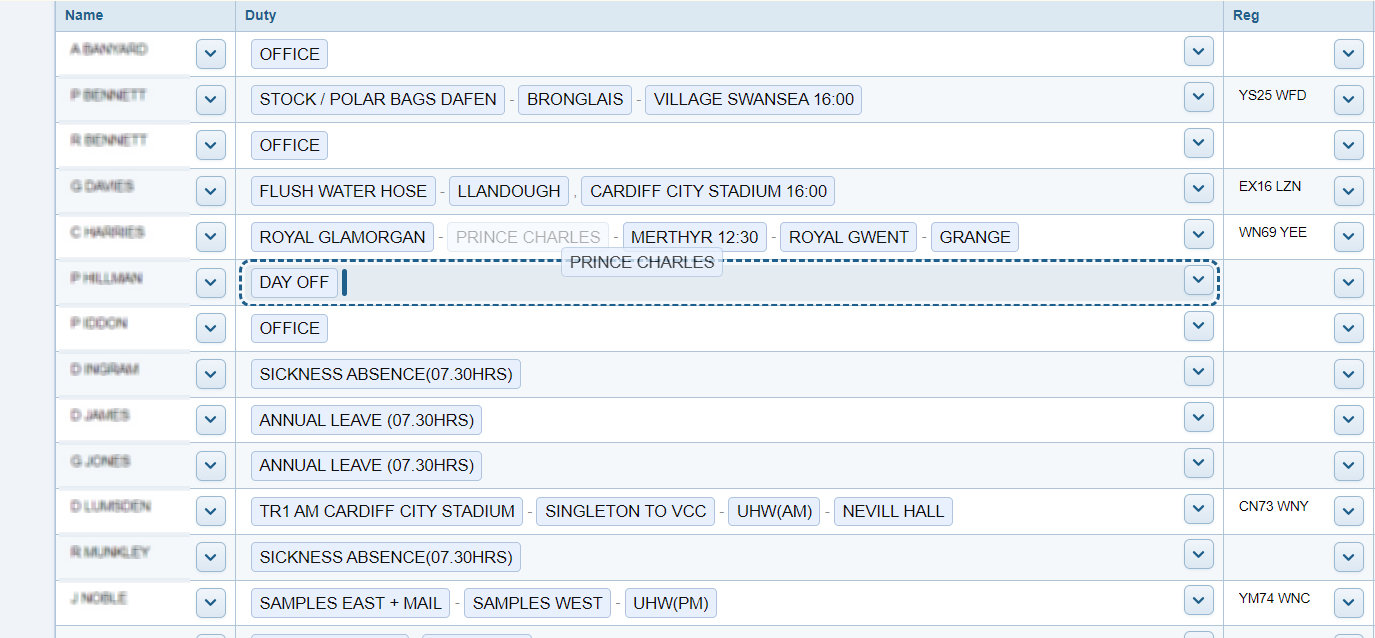
The customised driver rota software treats multi-part duties as real working segments. Managers can record hand-offs and changes that are easy to lose in a plain-text rota, then retain that visual context through save and load.
Apply colour and strikethrough to individual duty segments so an exception or change is easier to see in the live grid.
Drag segments to reorder a driver’s day or move the assigned work to another suitable driver without rebuilding the duty line.
Duty segment styling is retained with the saved rota, alongside the driver, vehicle, time and hours data that supports the plan.
Your data - Your way
Keep driver rota data in one place with server-side saving and backup options. The custom build gives transport teams a practical workspace for rota administration and recovery.
Control the rules behind the rota
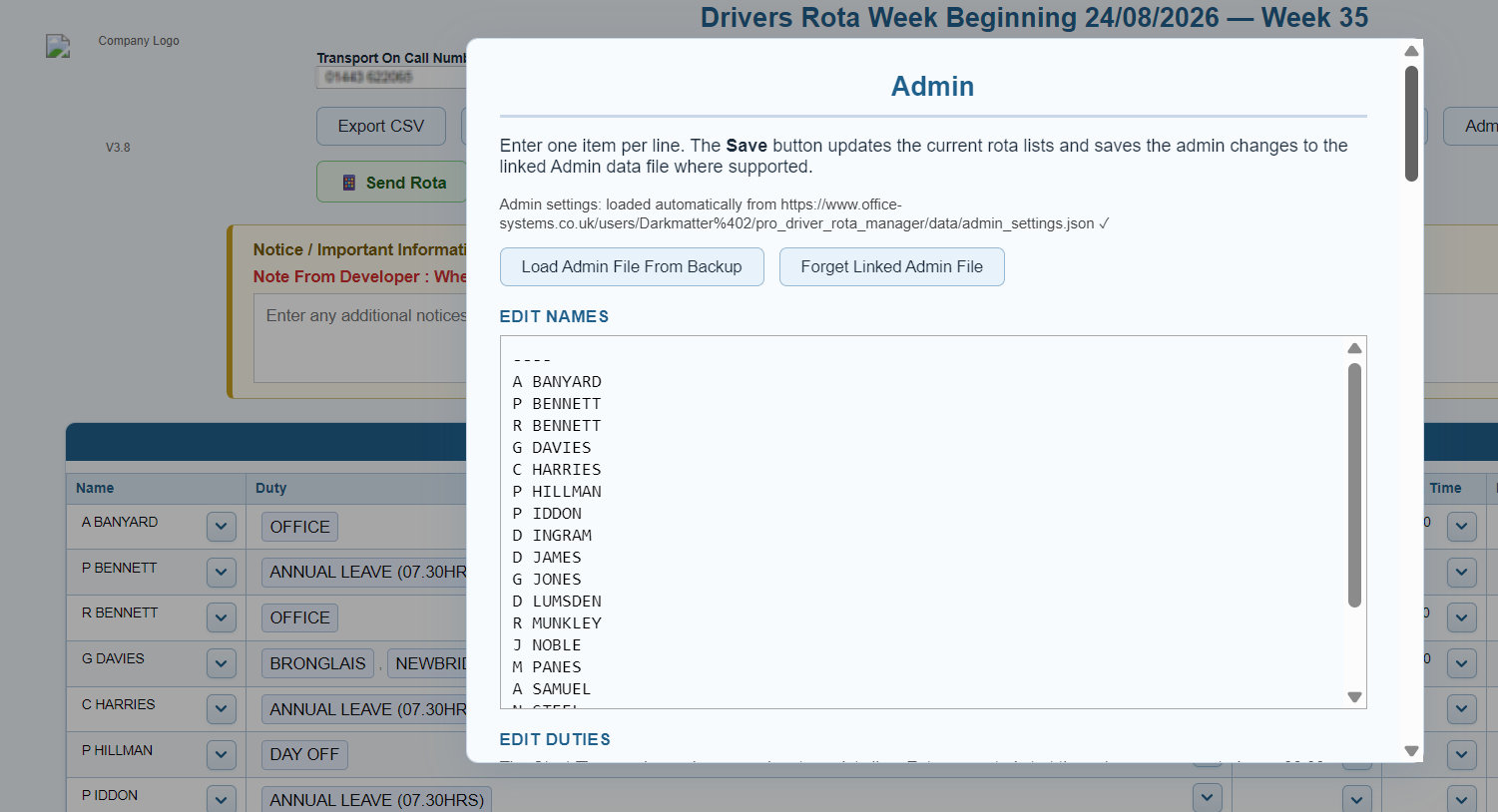
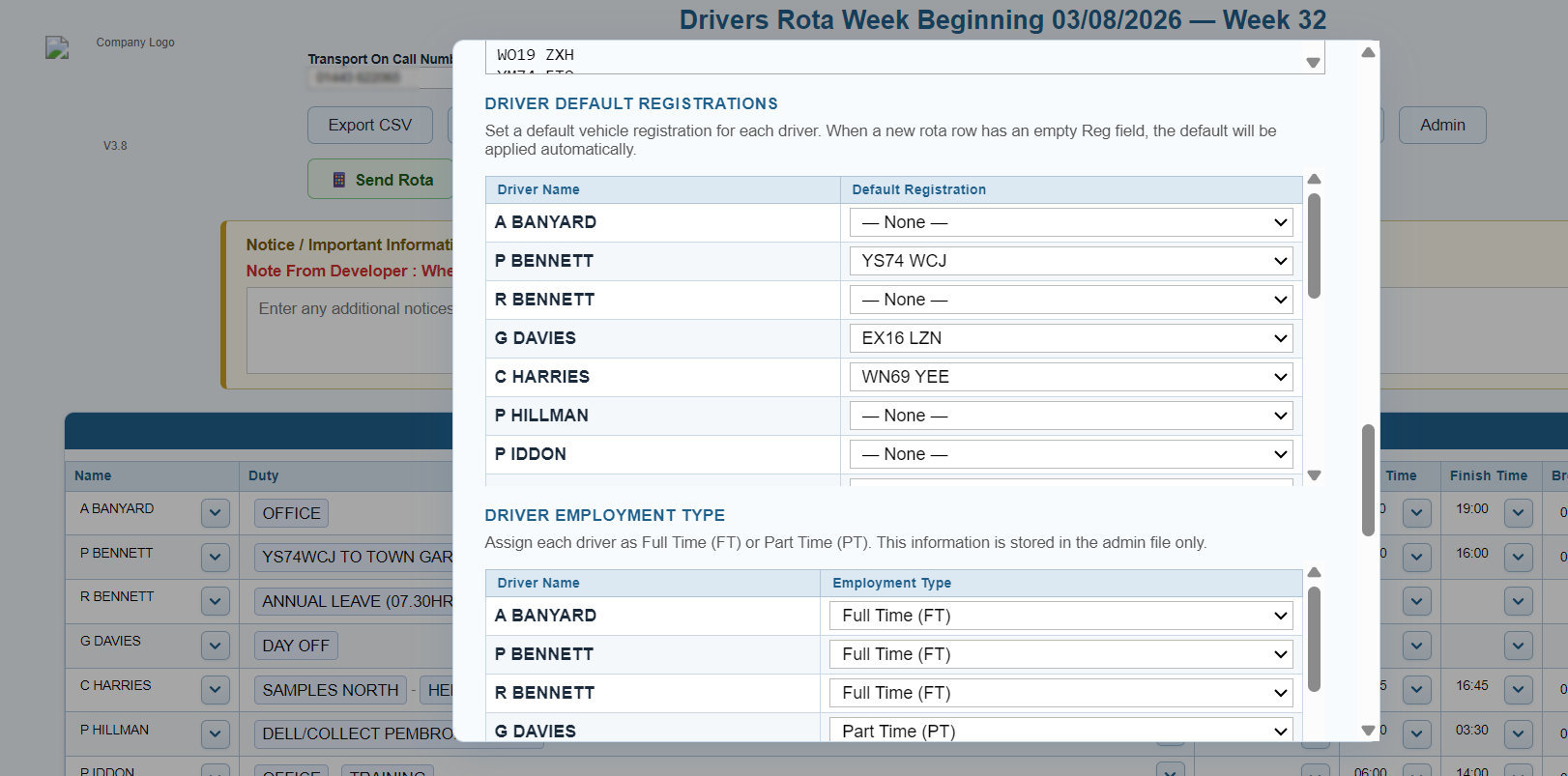
The Admin workspace separates the configurable operating data from the week’s daily choices, then reconciles changes back to the live rota where needed.
When the plan is ready to move
The driver rota management software keeps working schedules flexible, then produces clear operational outputs when a custom rota is ready for distribution, record-keeping or review.

Create full weekly exports with the rota’s driver, duty, vehicle, timing, break, hours, on-call and important-information detail.
Use the guided A4 print flow to produce a formatted PDF or printout, then launch an Outlook-compatible rota email draft when it is time to share.
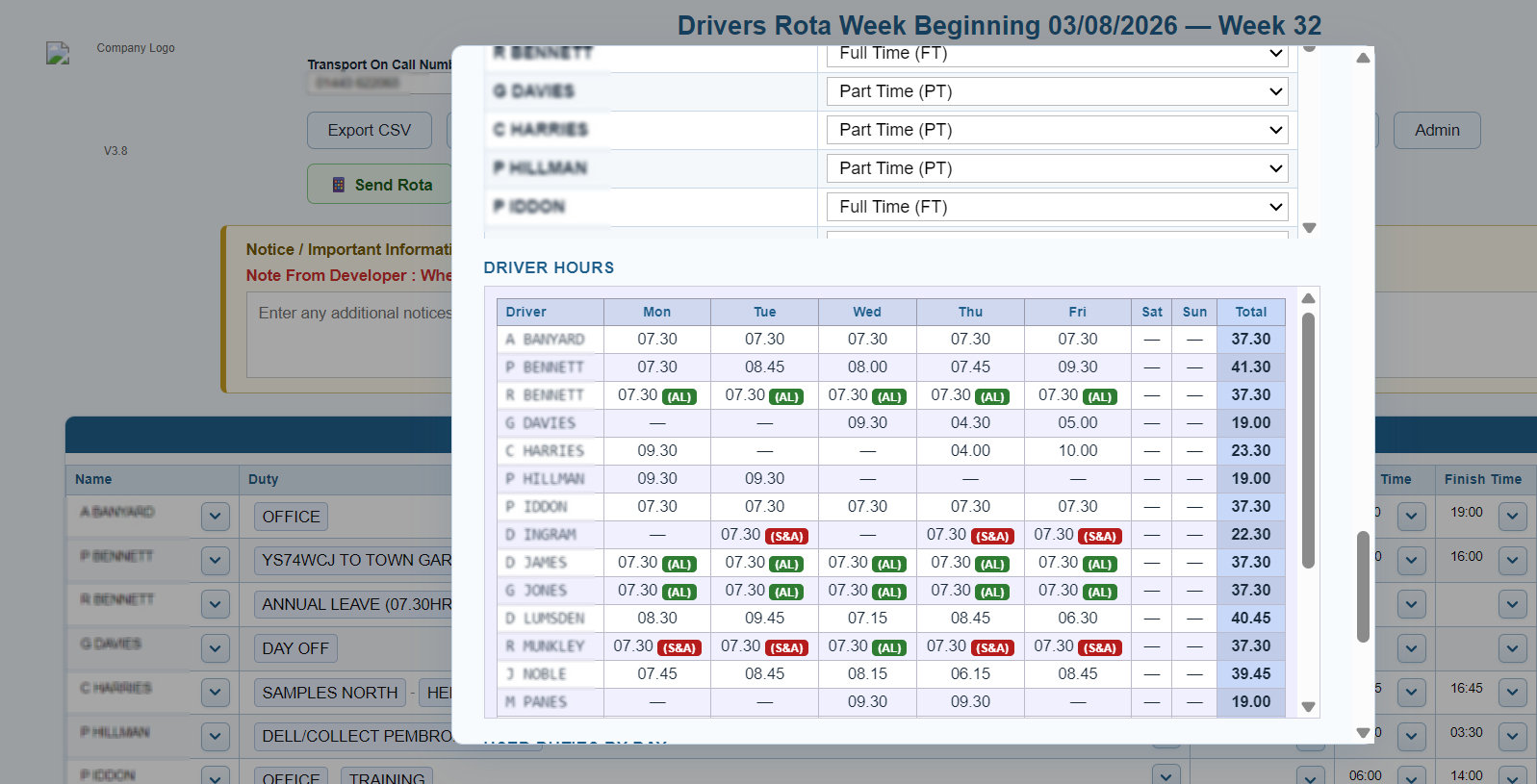
Print dedicated driver-hours totals across all seven days and a used-duty list by day, with the context managers need to review the plan.
A stronger weekly handover
Bring custom driver allocation, duty control, vehicle checks, time quality, hours reporting, export and administration together in one Driver Rota Manager workspace.
No credit card required — full access for 7 days.
The Driver Rota Manager user guide covers setup, admin configuration, entering duties, saving rotas and exporting finished schedules.