Record the consignment.
Enter the required driver, start, destination, dispatch date and time, item count and any handling or other notes.
Fleet Dispatch Manager is custom-built dispatch software for transport teams. Create delivery dispatches, generate QR code outputs, track live delivery status, and keep drivers, deliveries, archives and round sheets connected to one operational record.
No credit card required — full access for 7 days.

From dispatch detail to an issued consignment
This customised fleet dispatch software brings driver, collection and destination locations, date, time, item count, miscellaneous items and handling notes into a saved delivery dispatch with a reusable ID.
Enter the required driver, start, destination, dispatch date and time, item count and any handling or other notes.
Save the resulting dispatch to the server and retain the identifier when a recent record is reloaded for further use.
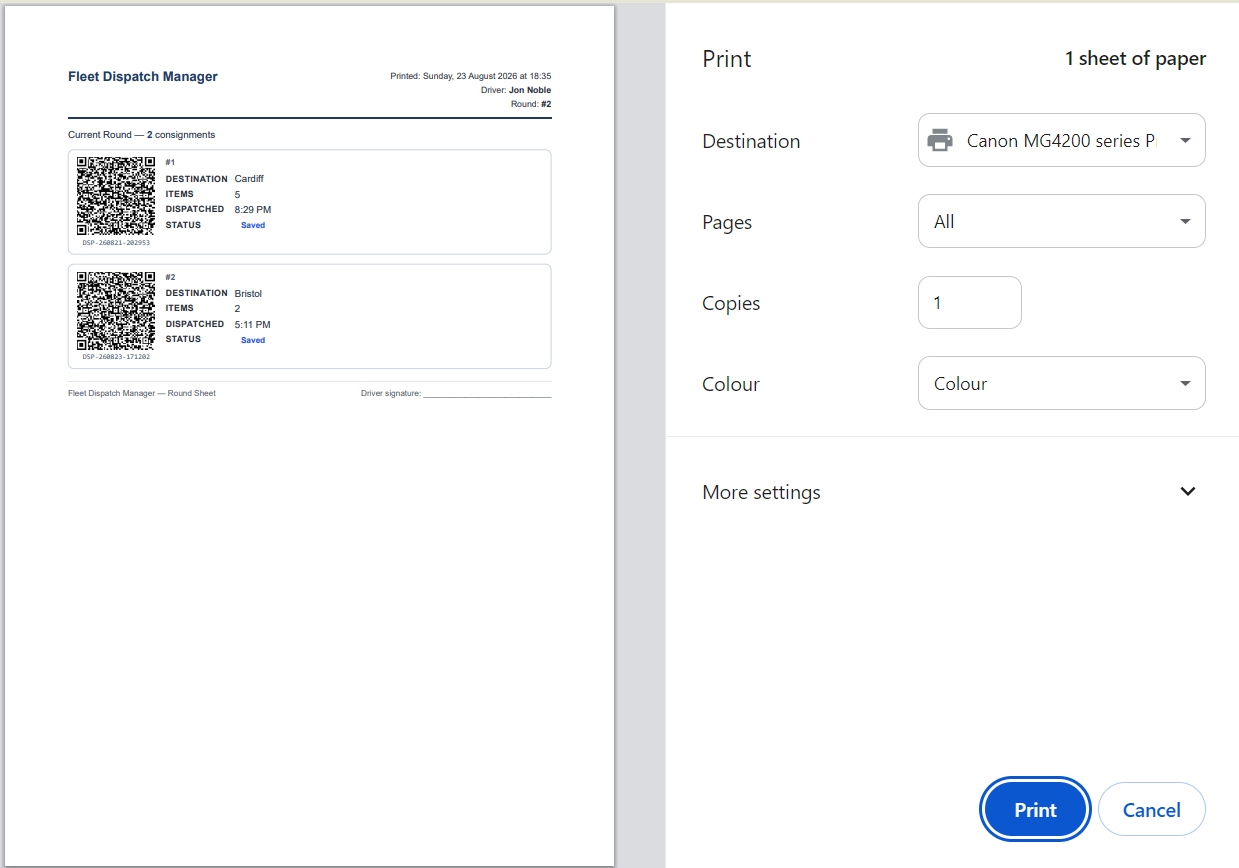
Build a text-summary QR or a Scan to Track QR, then download it as PNG or print it with the dispatch detail.
Move a saved dispatch into Live Tracking from the workflow while preventing a duplicate tracking entry.
Two QR modes, matched to the handover
QR code generation is built into each delivery dispatch record. The manager selects the QR type, reviews the full summary, and creates a download or print-ready version once the dispatch is saved.
Encode the dispatch ID, driver, origin, destination, date, time, item count and optional notes as a readable dispatch summary.
Encode a dispatch URL that opens a confirmation path on another device and adds the consignment to tracking.
Download the generated QR as PNG or print a black QR alongside the operational dispatch information.
The operational status, not an unverified map claim
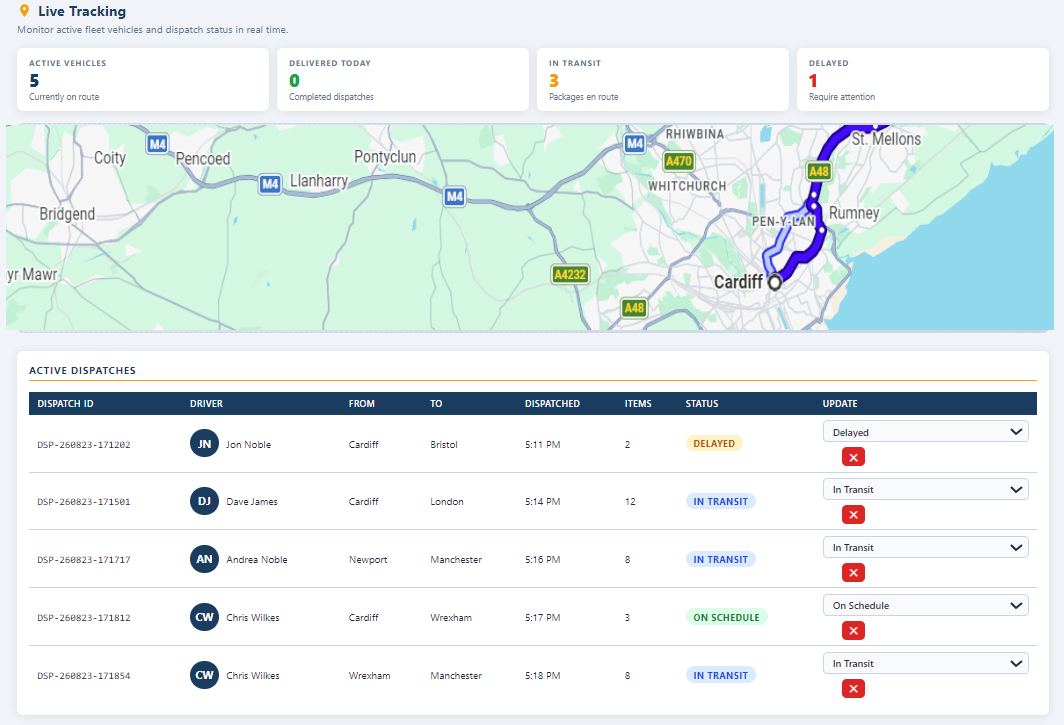
Live delivery tracking focuses on the operational record. It keeps the dispatch, driver, origin, destination, time, items and delivery status in one active list, then updates aggregate figures when status changes are saved.
Set a dispatch to In Transit, On Schedule, Delayed, Delivered, Failed or Cancelled directly from the live list.
Active-vehicle, delivered, in-transit and delayed totals are recomputed immediately from the dispatch data.
Tracking status changes are sent through to the delivery log without blocking the manager’s active tracking update.
The people and vehicles behind each dispatch
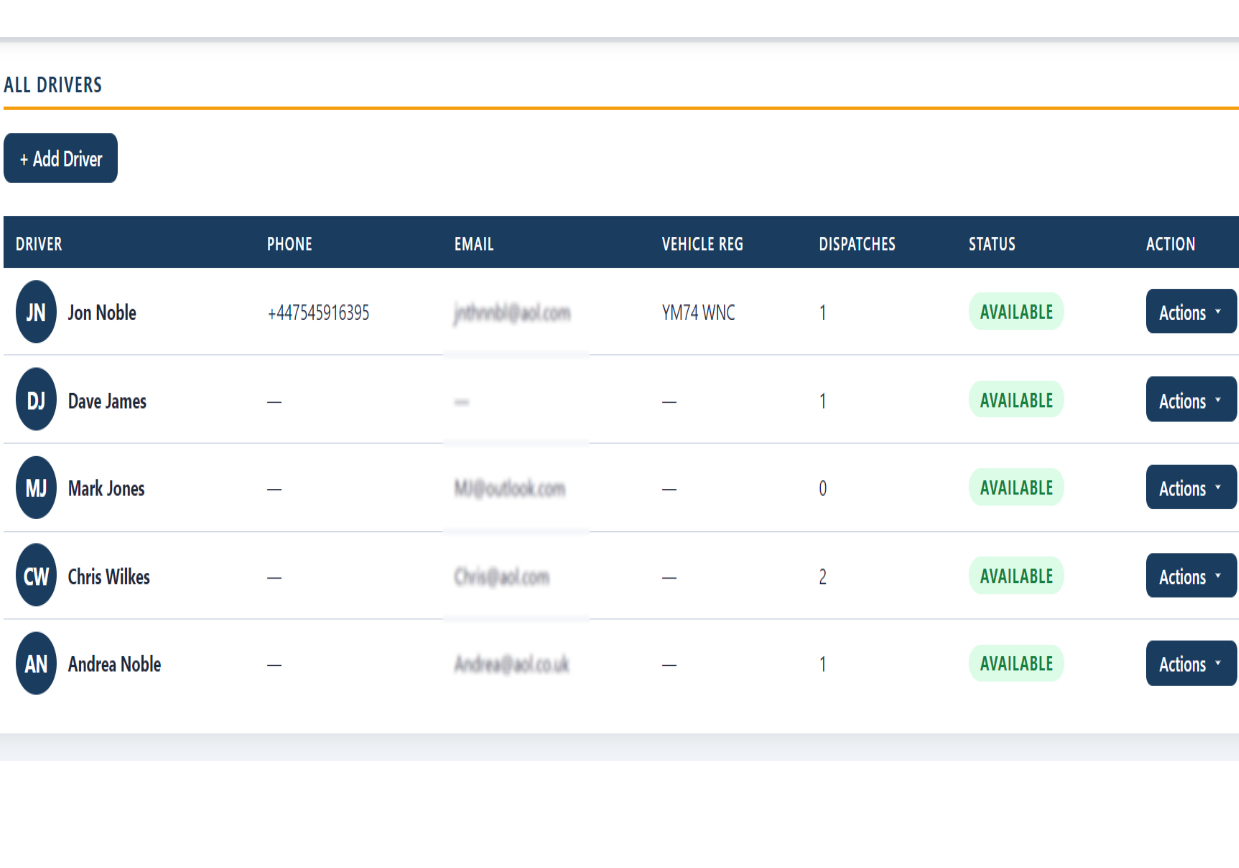
The driver roster is the operational directory used by fleet dispatch. Each profile retains the contact and vehicle context required for confident allocation, plus a direct round-sheet print action.
Maintain first and last name, phone, email, vehicle registration and a current availability status.
Driver status is visible to the manager and the driver list feeds the dispatch selection control.
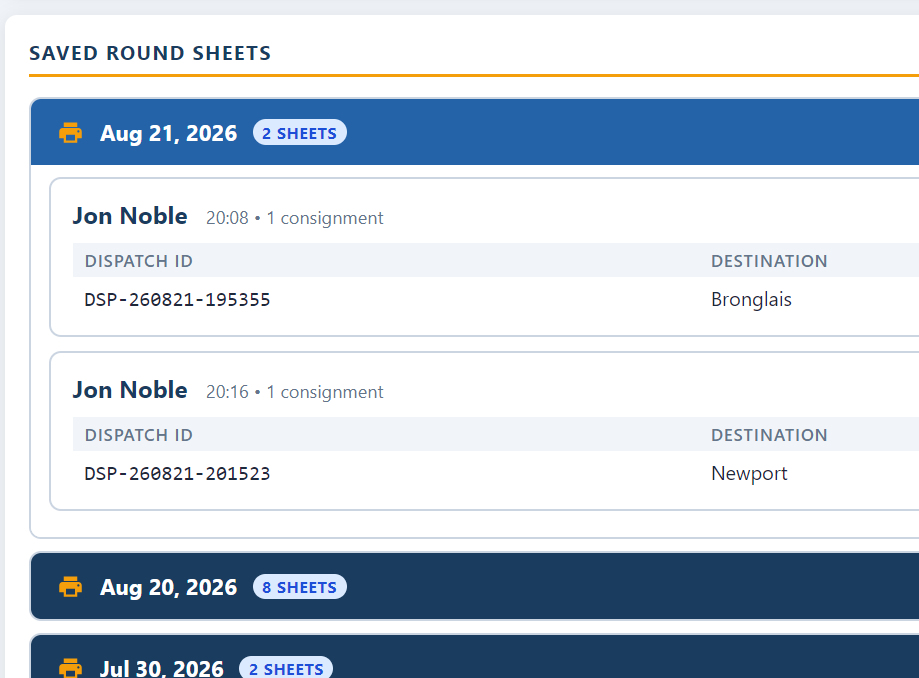
Print a driver’s round sheet directly from the roster and keep the result available in saved-round-sheet archives.
Dispatch workspaces and record views
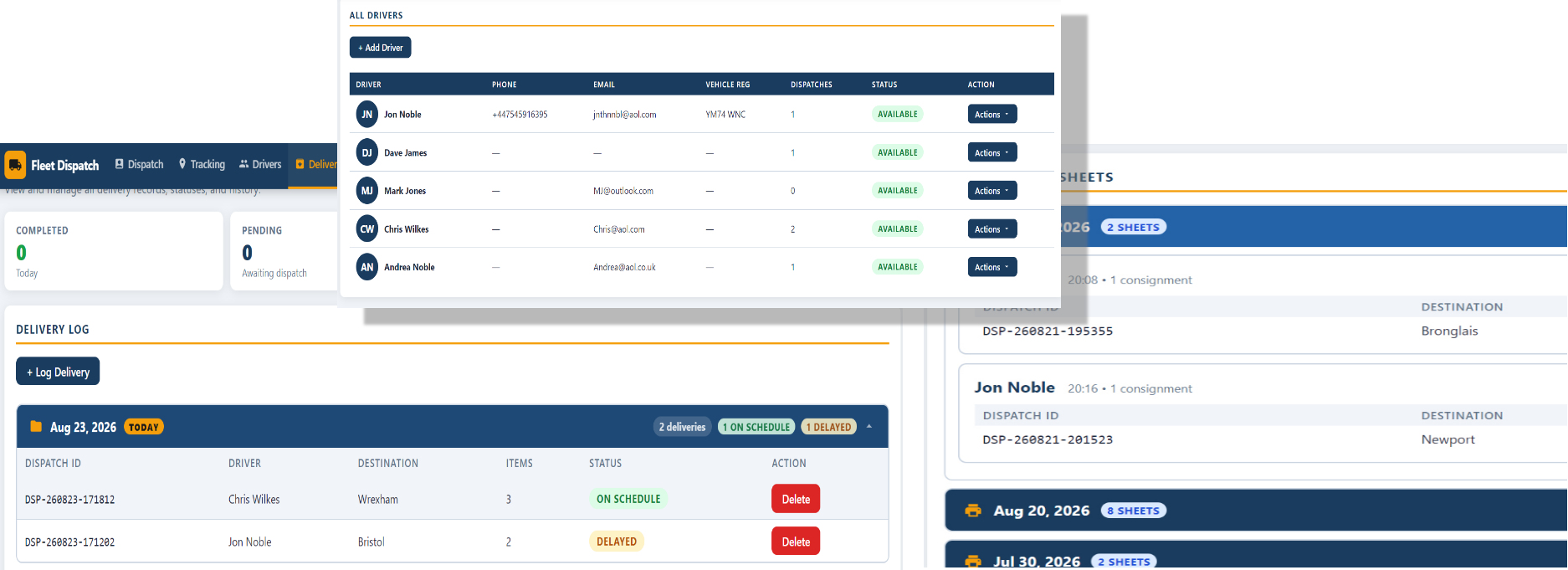
The Fleet Dispatch Manager keeps dispatch detail, driver information, delivery tracking and historical records in connected operational views that are ready to use throughout the delivery workflow.
Keep the outcome traceable after the handoff
The fleet dispatch software maintains a delivery log and date-based folders for completed records. Dispatches older than 24 hours are organised into archives, and saved round sheets remain available for reprint.
Add or delete a delivery record containing the dispatch ID, driver, destination, items, date and current outcome.
Review delivery records grouped by date, then use the automatic dispatch archive for records that have moved beyond the active window.
Open saved round sheets by date and trigger a reprint from the archive workflow.
Save a local copy when needed and allow the active view to refresh when remote API data changes.
Fleet Dispatch Manager
Bring QR dispatch outputs, live delivery status control, driver records, delivery history, archives and round sheets into one custom fleet dispatch management workspace.
No credit card required — full access for 7 days.
The Fleet Dispatch Manager guide covers dispatch creation, QR codes, tracking, driver records, deliveries and archive workflows.
Download Guide