Set the week.
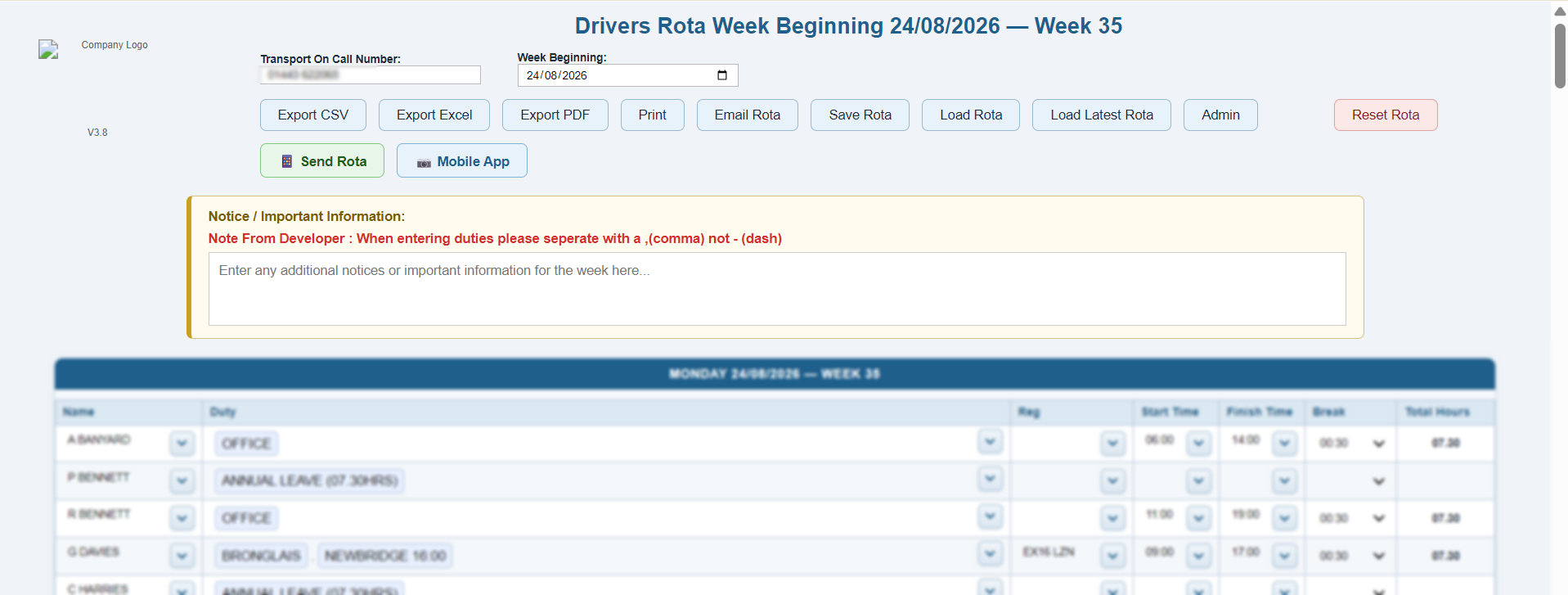
Work from a Monday-based rota with ISO-week labelling, a transport on-call number, a manager notice, driver rows and operational trailer lines.
Pro Driver Rota Manager is custom-built driver rota management software for transport teams. Plan weekly driver rotas on desktop, repeat duties across selected days, validate scheduling issues and publish the current schedule to a mobile viewer.
No credit card required — full access for 7 days.
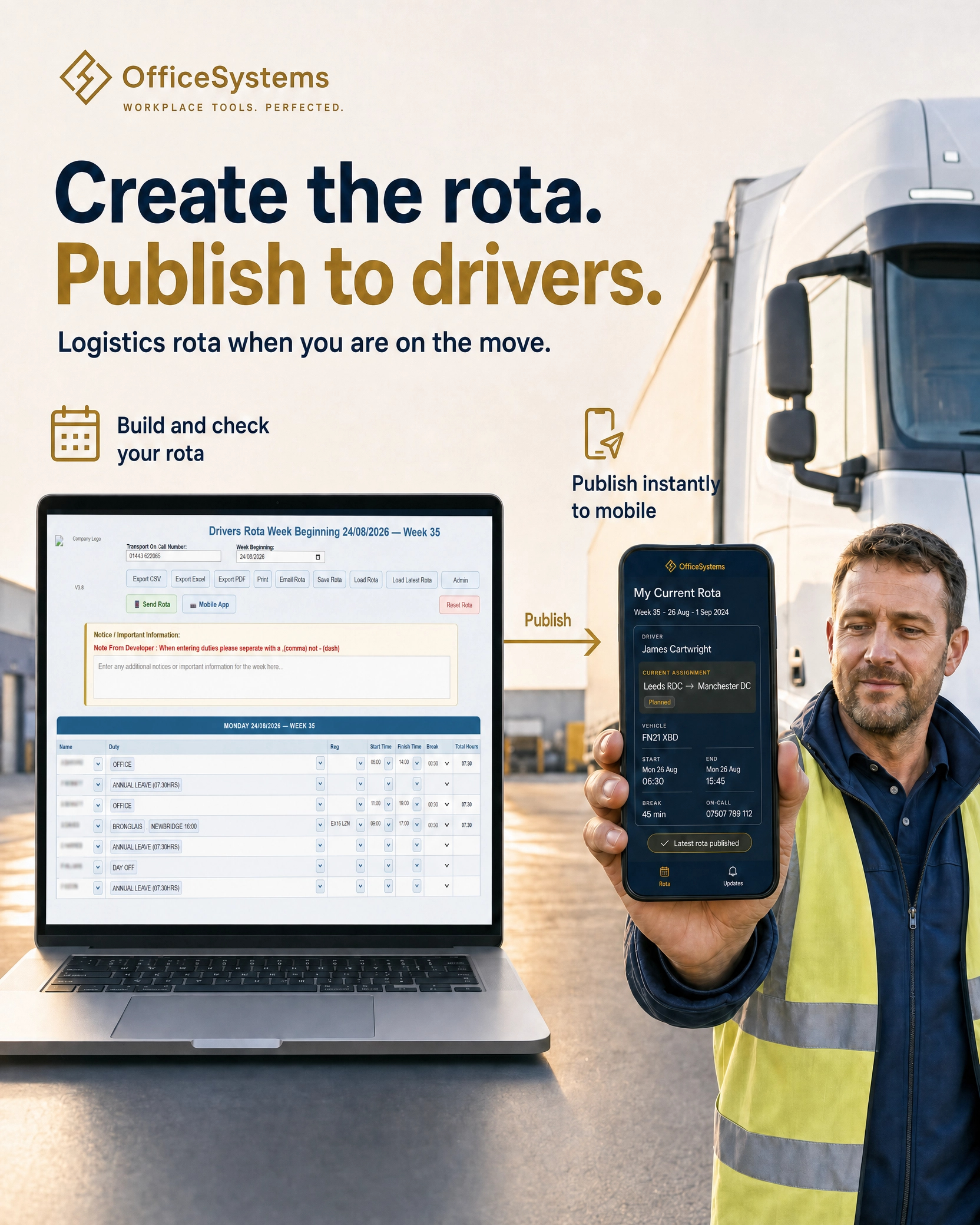
Desktop planning, with the operational detail intact
The Pro workspace is customised software for weekly driver rota planning. It keeps drivers, duties, vehicle registrations, start and finish times, breaks, hours, on-call contact and important information in one controlled rota.
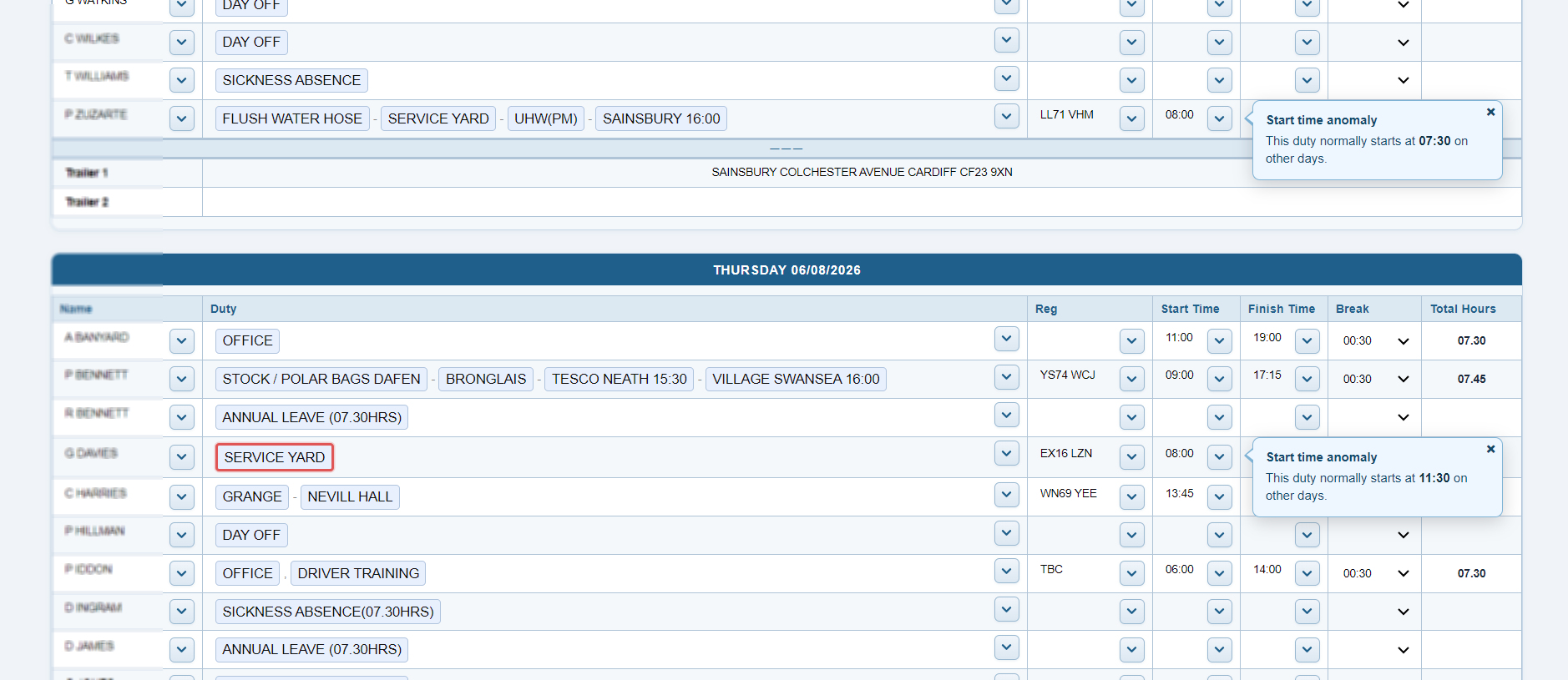
Work from a Monday-based rota with ISO-week labelling, a transport on-call number, a manager notice, driver rows and operational trailer lines.
Use the driver, duty and registration controls to create a structured daily plan with the time and break detail needed to calculate hours.
Use multi-segment duties to preserve meaningful shift changes and reassign individual work duties by dragging and dropping individual duties where the operation requires it.
Export, print, email & send to app. Save & recoverthe rota from the same trusted working record.
A rota that makes exceptions visible
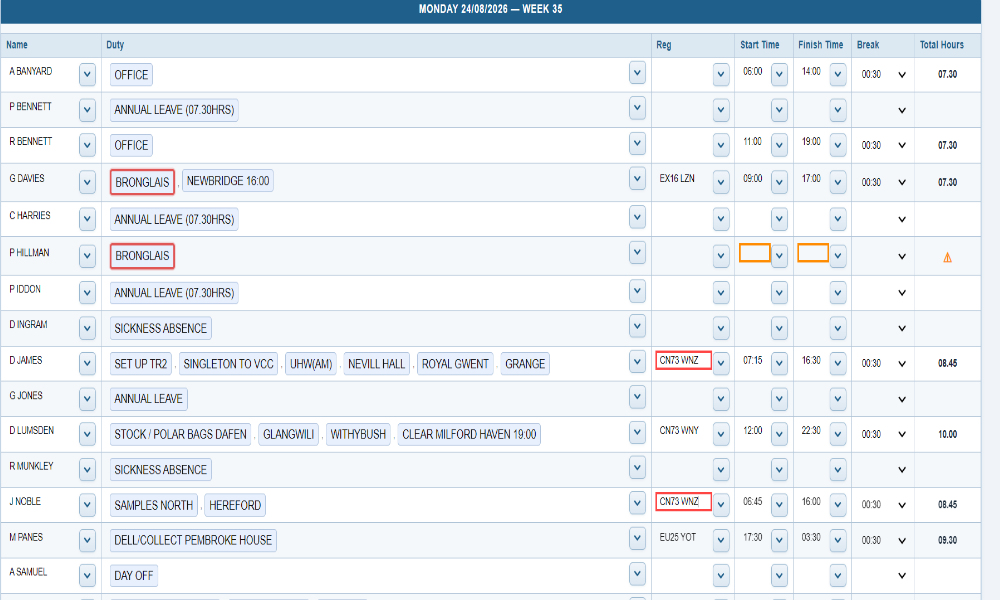
The driver rota management software makes operational checks visible on the affected duty row, allowing a manager to resolve scheduling exceptions with full context rather than reconstructing them later.
Duplicate duty segments and duplicate vehicle registrations are highlighted to make conflicting allocation decisions easier to identify.
Required missing times, unexpected duty start patterns, break deductions, overnight calculations and full-time under-hours are surfaced in the working rota.
Office, leave, sickness and absence entries are treated appropriately, including the vehicle-registration behaviour needed when a driver is not operating.
A Pro workflow for recurring assignments
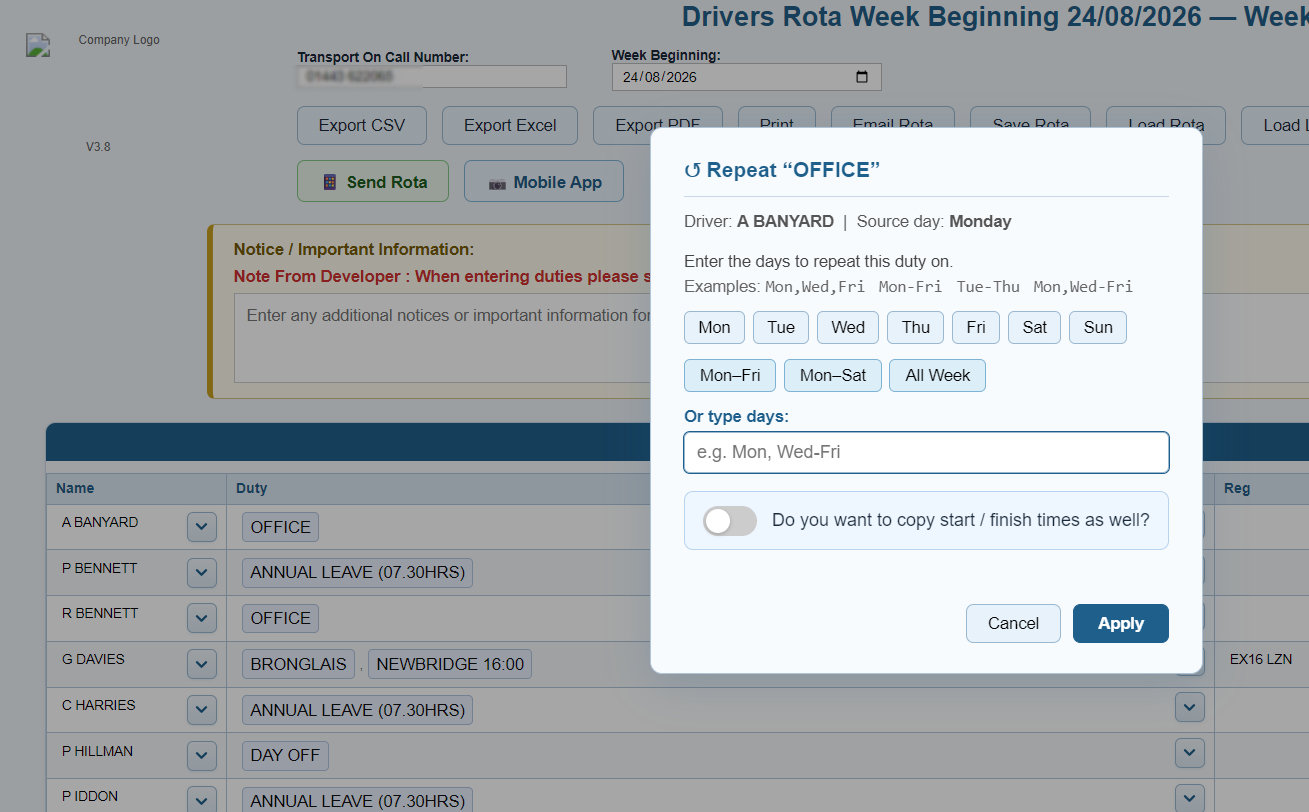
The Pro repeat tool works at the individual duty-segment level. This custom build reduces re-entry for recurring work while retaining the validation and styling that make a live driver rota easier to manage.
Choose days one at a time, use weekday, Monday–Saturday or full-week presets, or enter a day expression such as “Mon, Wed–Fri”.
Optionally carry the source start, finish and break data as well as the selected duty segment.
The repeat action checks the target rows first, skips an exact duty segment already present, and keeps the existing segment style data.
From desktop rota to mobile app
The Pro driver rota software provides a practical hand-off from planning to access. A manager saves the rota, uses Send Rota to publish the saved file, then shares the mobile viewer through a QR code or direct viewer link. The viewer can be installed on any mobile device and receives rota updates.
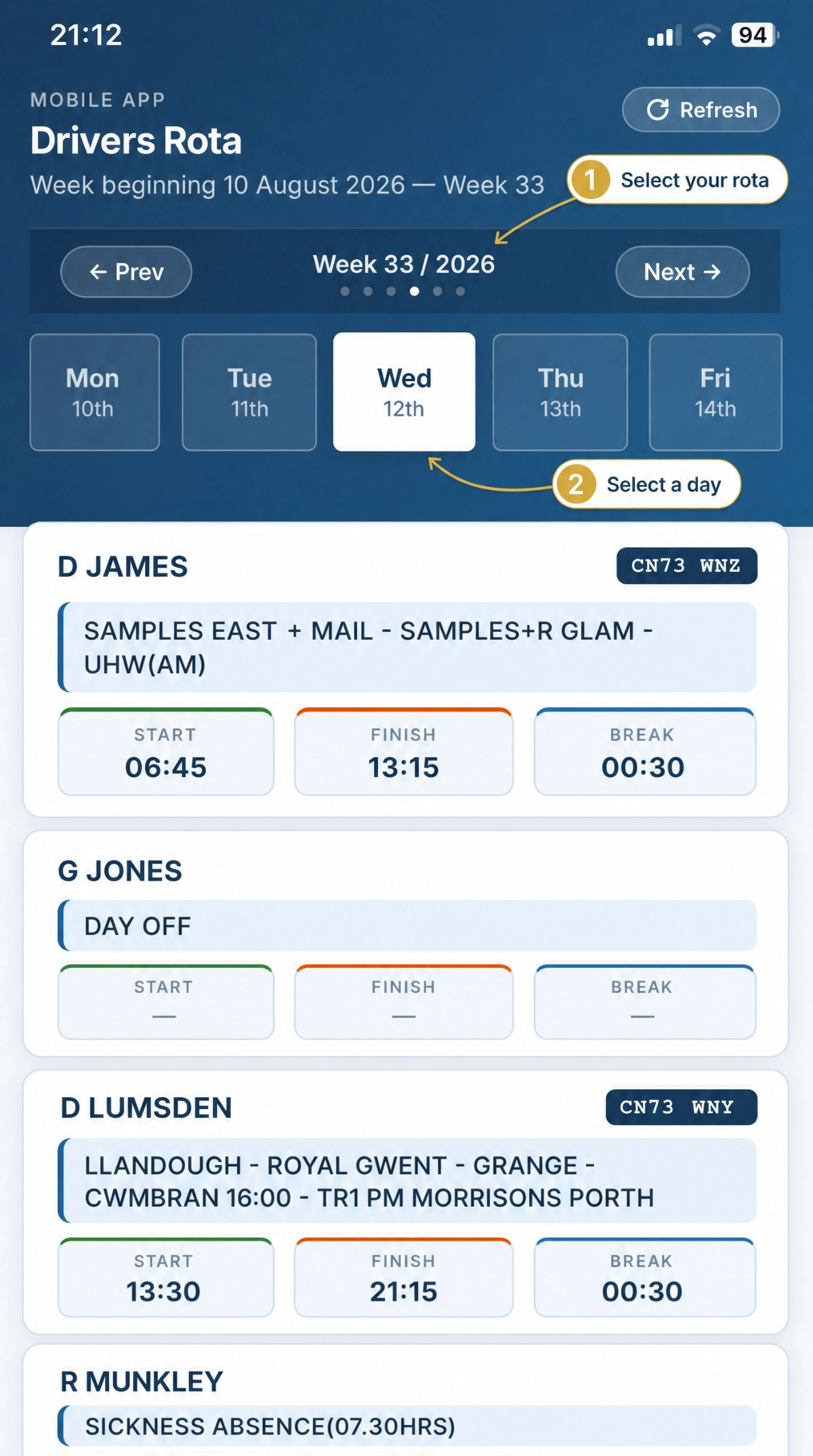
Your data - Your way
Keep driver rota data organised in one place with server-side saving and backup options. The customised software provides a practical workspace for rota administration and recovery.
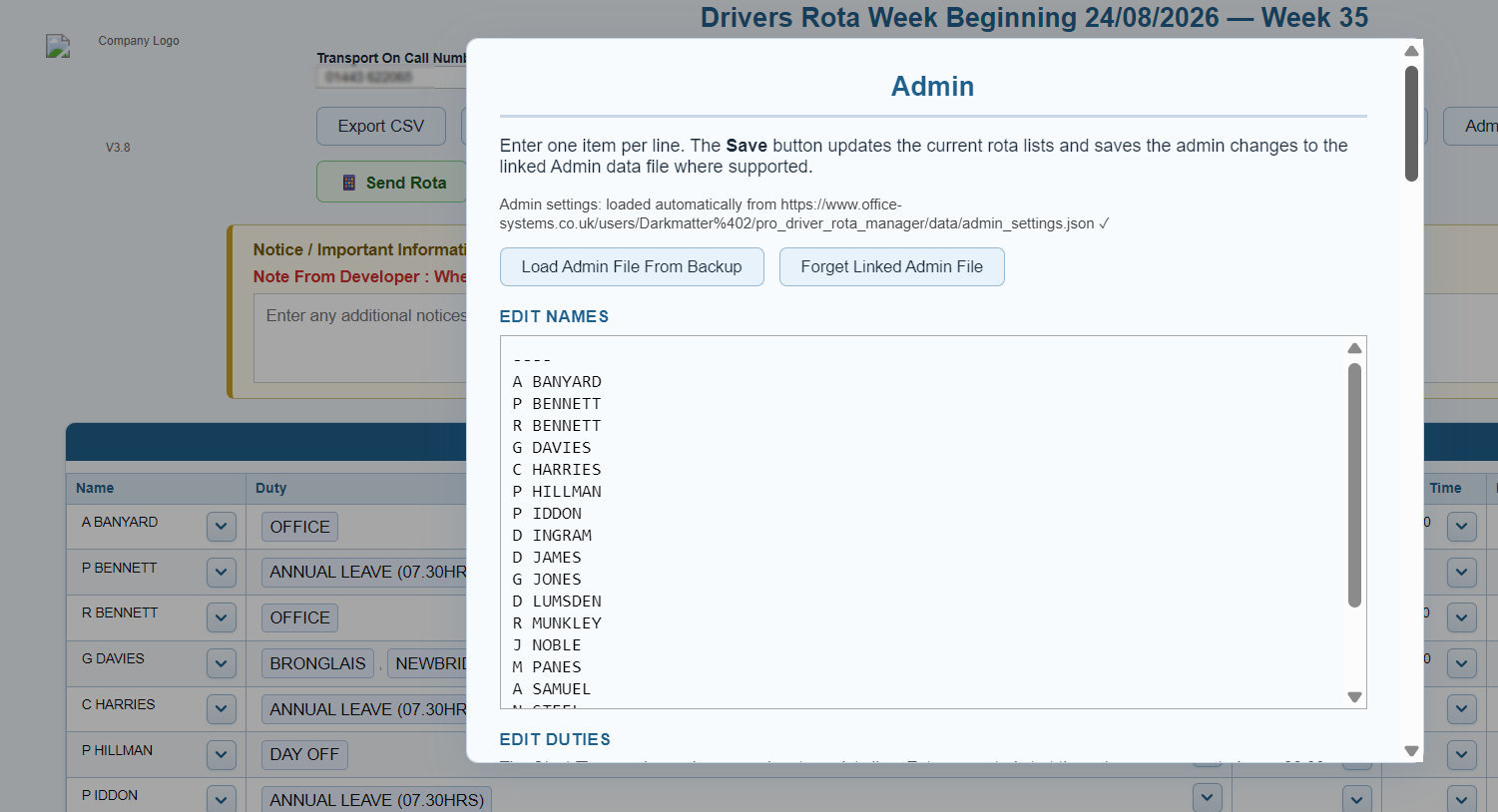
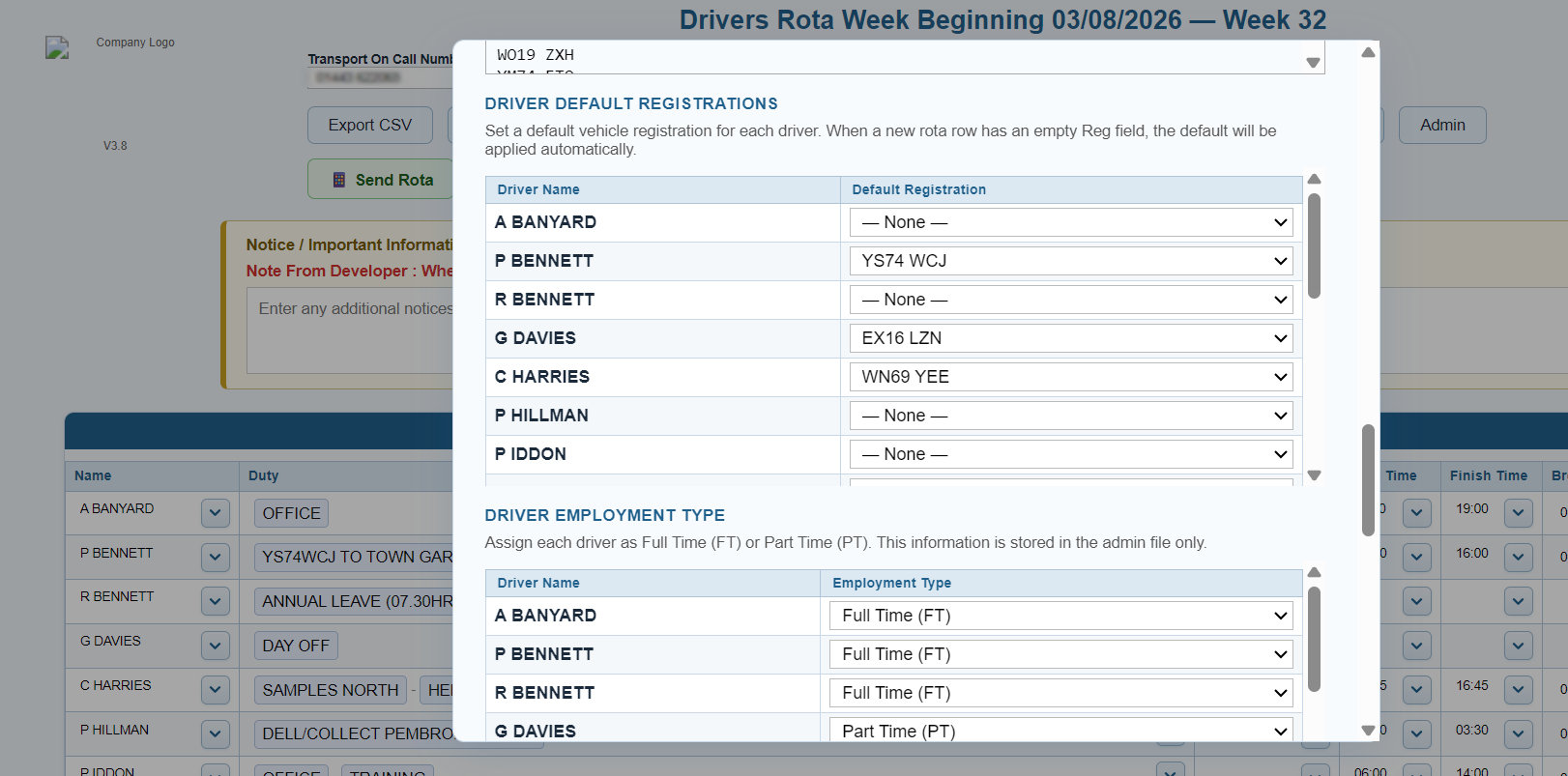
The control layer behind the week
Pro retains the administrative depth needed for dependable driver scheduling: operating rules remain configurable, recoverable and matched to the active working rota.
Maintain driver names, vehicle registrations, default vehicle mapping, and full-time or part-time status.
Manage duties, categories, misc-duty handling and accepted start-time patterns per duty.
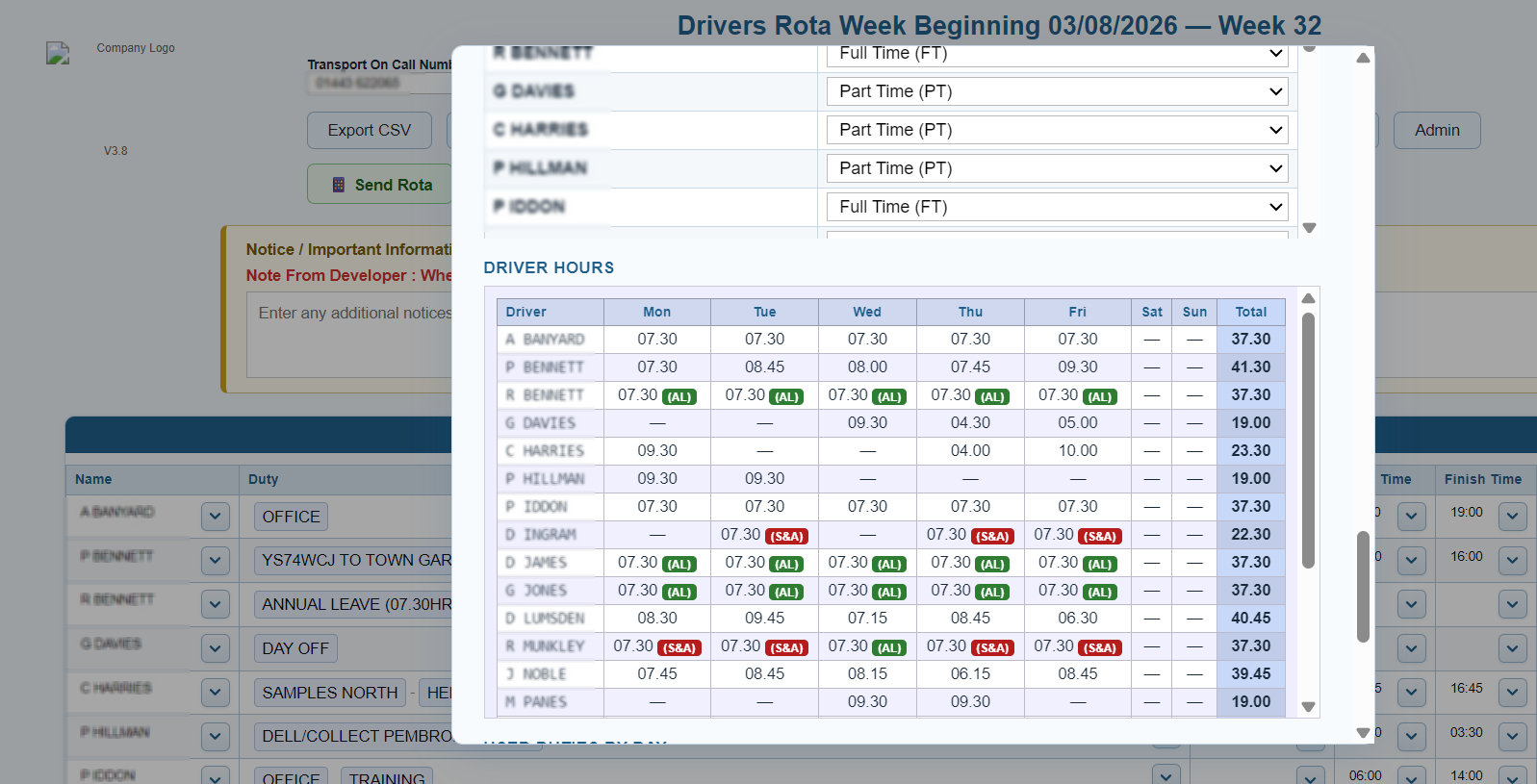
Review seven-day driver hours, including annual leave and sickness/absence treatment, and print Hours or Used Duties by Day reports.
Save, reconcile and auto-load admin settings in `data/admin_settings.json`, download a backup, and verify the latest saved rota.
Outputs that hold the operational context
The completed driver rota can move through the operation as a data export, print-ready document, email preparation flow, saved rota, latest-server recovery point or mobile-viewer publication.
Create full weekly records containing driver, duty, registration, timing, break, calculated-hours, on-call and notice detail.
Use the guided A4 print flow for the formatted rota or a saved PDF, then create an Outlook-compatible rota email draft.
Keep a local JSON copy, verify the current server record, load the latest saved rota, or publish the completed file to the mobile viewer.
Pro driver operations
Pro Driver Rota Manager brings advanced duty repetition and mobile rota publication into the same custom-built workspace as driver allocation, validation, administration, reporting and recovery.
No credit card required — full access for 7 days.
The Pro Driver Rota Manager guide covers setup, admin configuration, the weekly rota, publishing and exporting.